Xtream Codes APK
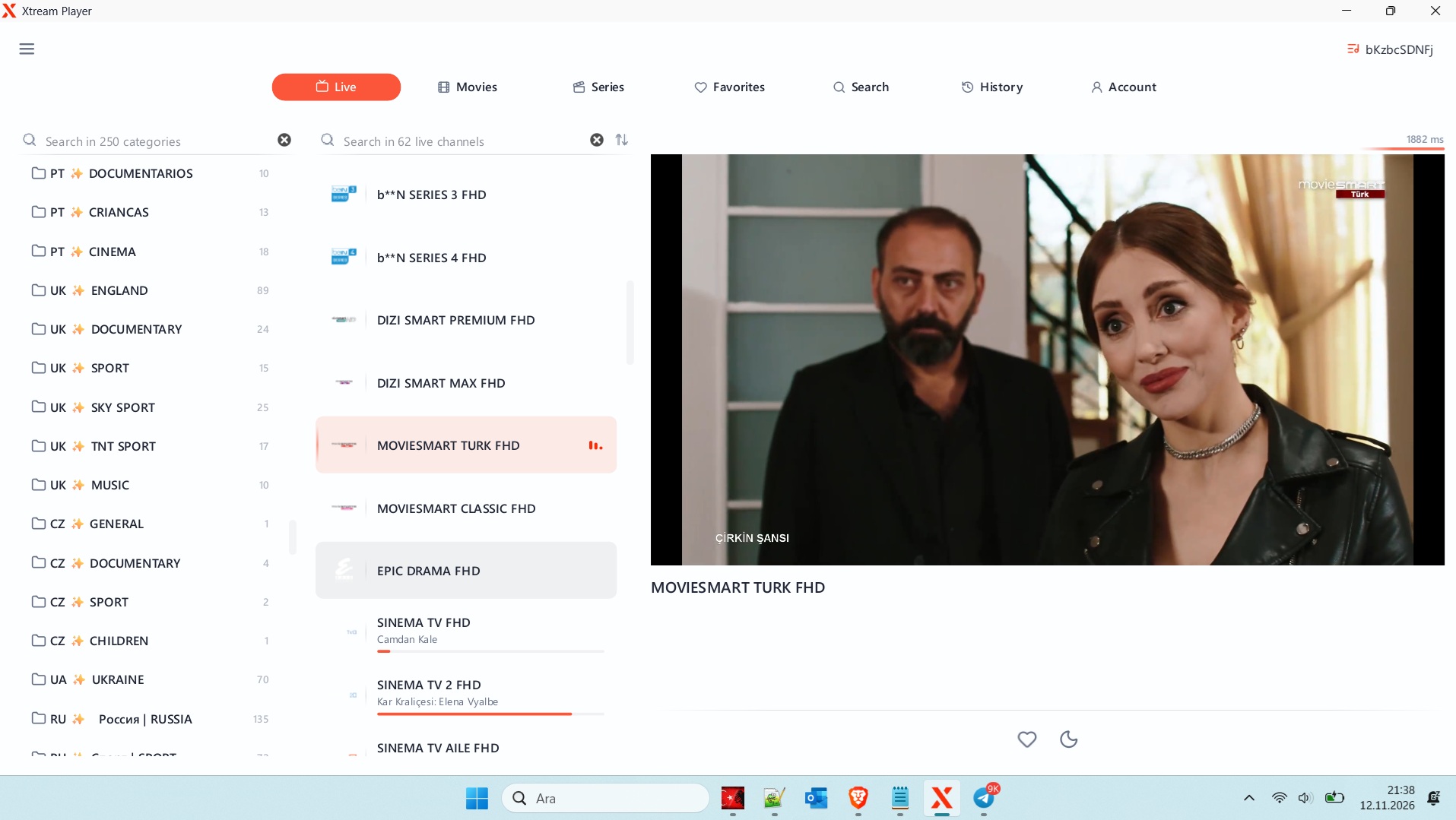
Xtream Codes APK: Complete Guide to Download, Installation and Android Compatibility
Introduction to Xtream Codes APK
The demand for IPTV applications continues to grow as more people use Android smartphones, Android TV boxes, Fire TV devices, and Smart TVs for digital entertainment. One of the popular search terms in this area is Xtream Codes APK, which is commonly associated with IPTV applications that support Xtream Codes API login.
Many users search for Xtream Codes APK download because they want to install a compatible IPTV player, connect their account, and organize their available streaming content in one application.
However, it is important to understand that Xtream Codes API and an IPTV player APK are not the same thing. Xtream Codes is associated with an IPTV connection and authentication method, while an APK is an Android application installation package.
In this comprehensive guide, we explain what Xtream Codes APK means, how compatible IPTV applications work, how to install Android applications safely, and how to troubleshoot common connection problems.
What Is Xtream Codes APK?
Xtream Codes APK generally refers to an Android application that supports Xtream Codes API connections.
An APK, short for Android Package Kit, is a file format used to distribute and install applications on Android devices. It contains the application components required for installation.
Xtream Codes API, on the other hand, allows compatible IPTV players to communicate with supported streaming services.
A typical Xtream Codes login requires three pieces of information:
- Server URL: The address of the authorized streaming service.
- Username: The account username provided by the service.
- Password: The corresponding account password.
After entering these details into a compatible application, users can connect to their service and access the content available under their account permissions.
Depending on the application and provider, supported features may include live television, video-on-demand categories, TV series, and Electronic Program Guide (EPG) information.
It is worth remembering that Xtream Codes itself does not provide television channels or subscriptions. The available content depends on the service provider and its distribution rights.
How Does an Xtream Codes APK Work?
An IPTV application supporting Xtream Codes API acts as a connection between the user and an authorized streaming service.
The application sends the login information to the configured server. If the credentials are valid and the service supports the connection, the application may retrieve account information and available content categories.
The process generally involves the following stages:
- The user installs a compatible IPTV player.
- The application requests the Xtream Codes login information.
- The user enters the server URL, username, and password.
- The application attempts to authenticate the account.
- Supported channel lists and content categories are loaded.
- The user selects available content for playback.
The exact process varies depending on the IPTV player and server configuration.
One advantage of this method is convenience. Instead of manually adding every available stream, users can retrieve supported categories through a single account connection.
How to Download Xtream Codes APK Safely
Finding an APK file online is relatively easy, but choosing a trustworthy download source is essential.
Not every website offering an Xtream Codes APK download provides an original or secure application. Some files may be outdated, modified, or distributed without the developer’s authorization.
For a safer installation experience, follow these recommendations.
1. Identify the IPTV Application
First, decide which IPTV player you want to use. Check whether its official documentation confirms Xtream Codes API compatibility.
Remember that different applications offer different features, interfaces, and device requirements.
2. Visit the Official Developer Website
Whenever possible, download the application through Google Play or the developer’s verified website.
Avoid unfamiliar download portals that provide modified APK files or claim to unlock premium features without authorization.
3. Check Application Information
Before installing an APK, review:
- Developer or publisher information.
- Application version.
- Supported Android versions.
- Required permissions.
- Privacy policy.
- Update history.
- File authenticity and digital signature.
These checks help users identify suspicious applications before providing personal information.
4. Keep Android Security Features Enabled
Google Play Protect helps scan applications for potentially harmful behavior.
Do not disable security protections simply because an unfamiliar download website instructs you to do so.
How to Install an IPTV APK on Android
If a compatible application is distributed as an APK by its official developer, installation can be completed through the following general process.
Step 1: Download the Application
Obtain the APK from the application’s verified distribution source.
Step 2: Open the Downloaded File
Locate the downloaded APK using your Android device’s file manager or download manager.
Step 3: Review Installation Permissions
Android may request permission to install applications from the particular source being used. Only grant this permission when necessary and when you trust the source.
Step 4: Complete Installation
Follow the Android installation instructions and open the application after installation.
Step 5: Configure Your IPTV Account
If the player supports Xtream Codes API, select the appropriate login option and enter your authorized server URL, username, and password.
Step 6: Wait for Account Authentication
The application will attempt to connect to the configured service. If the account is valid and the server is available, supported content may appear.
For better security, revoke the temporary permission to install unknown applications when you have finished.
Which Devices Support Xtream Codes-Compatible Applications?
Device compatibility is an important consideration when choosing an IPTV APK.
Android Smartphones
Many Android IPTV players are designed for smartphones. They can provide portable access to supported streaming services, with features such as category browsing, playback controls, and account management.
Android TV
Android TV devices offer a television-oriented interface. Compatible IPTV applications can provide easier navigation through remote controls and larger-screen layouts.
Android TV Boxes
Android TV boxes are another popular option for users who prefer dedicated streaming hardware.
Before installing an APK, check the operating system version, device certification, storage requirements, and application compatibility.
Amazon Fire TV
Some older Android-based Fire TV devices support compatible Android applications. However, compatibility should never be assumed across every Fire TV model.
In particular, newer devices using different operating systems may not support standard Android APK files.
Smart TVs
Samsung and LG Smart TVs generally use different operating systems from Android TV. Therefore, an Android APK cannot automatically be installed on these televisions.
Users should check their television’s official application store for compatible IPTV players.
Xtream Codes APK vs. M3U Playlist
Both Xtream Codes API and M3U playlists are commonly supported by IPTV applications, but they use different connection methods.
| Feature | Xtream Codes API | M3U Playlist |
|---|---|---|
| Connection method | Server and account credentials | Playlist URL or file |
| Username and password | Separate fields | May be included in URL |
| Channel categories | Server-supported categories | Playlist-defined organization |
| EPG | Depends on provider and player | Requires compatible EPG data |
| Setup | API login | Playlist import |
| Updates | Depends on server support | Depends on playlist updates |
Xtream Codes API can offer convenient account-based configuration, while M3U provides a flexible playlist-based approach.
Neither method guarantees better streaming quality. The overall experience depends on the provider, internet connection, device, and application.
Common Xtream Codes APK Problems and Solutions
Users may occasionally experience technical problems when installing an IPTV player or connecting an account.
Here are some common issues and possible solutions.
Application Installation Failed
This problem may occur because of an incompatible Android version, insufficient storage, a corrupted APK, or a package conflict.
Download the application again from its verified source and check its device requirements.
Xtream Codes Login Failed
Incorrect server information, invalid credentials, expired access, or server maintenance can cause authentication problems.
Carefully verify your login information and contact your authorized provider if the problem continues.
IPTV Channels Not Loading
If the application connects successfully but content does not load, check your internet connection and account status.
The problem may also originate from the streaming server.
Buffering and Playback Issues
Buffering can result from unstable Wi-Fi, network congestion, insufficient device resources, or server-side limitations.
Try a stable network connection, restart the application, and check whether the problem occurs with other content.
Application Crashes
An outdated application or incompatible device configuration may cause unexpected crashes.
Install verified updates and ensure that your device meets the application’s minimum requirements.
How to Choose the Best Xtream Codes APK
Selecting an appropriate IPTV player is important for security, compatibility, and ease of use.
Consider these factors before installing an application:
Xtream Codes API Support: Verify that the player supports the login format provided by your authorized service.
Simple User Interface: A clear interface makes it easier to navigate channels and content categories.
EPG Compatibility: Electronic Program Guide support can improve the channel browsing experience.
Playback Features: Look for support for suitable video formats, subtitles, and playback controls.
Device Compatibility: Confirm that the application supports your specific Android device.
Privacy and Security: Review application permissions and the developer’s privacy policy.
Regular Updates: Choose applications with identifiable developers and ongoing maintenance.
Avoid modified APK files advertised as premium unlocked versions. Such files may contain unwanted code, expose account credentials, or compromise device security.
Is Xtream Codes APK Free?
The term Xtream Codes APK does not automatically mean that an application or streaming service is free.
Some IPTV players are available without charge, while others offer paid upgrades or additional features.
It is also important to distinguish between an IPTV player and an IPTV subscription.
An IPTV player is software used to organize and play compatible media sources. An IPTV subscription is a separate service that may provide access to licensed programming.
Always review the application’s pricing and the provider’s subscription terms before making a purchase.
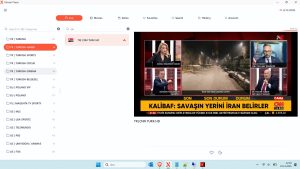
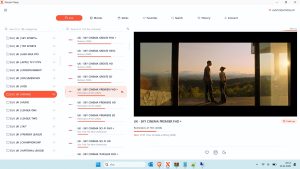
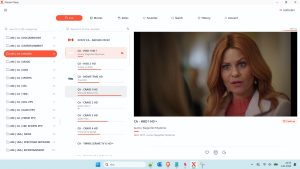
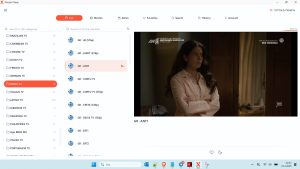
Windows IPTV Player Download

Windows IPTV Player 3.0 Download
Xtream Codes APK Download
👤 www.stbemuiptv.net
━━━━━━━━━━━━━━━━━━
• 𝙋𝙤𝙧𝙩𝙖𝙡 : http://premium-pro2.org
• 𝘾𝙧𝙚𝙖𝙩𝙚𝙙 : 03/03/2024
• 𝙀𝙭𝙥 : 06/04/2027
• 𝙐𝙨𝙚𝙧 : dygiraud2
• 𝙋𝙖𝙨𝙨 : 2112492
• 𝘾𝙤𝙣𝙣 : 1
• 𝙈𝙖𝙭𝘾𝙤𝙣𝙣 : 1
• 𝙋𝙤𝙧𝙩 : 80
• 𝙎𝙩𝙖𝙩𝙪𝙨 : # OK ✅
• 𝐌𝟑𝐔 : www.stbemuiptv.net
You can download the rest from the link below.
Download Link
You can watch the video to learn how to download the file.
Is Xtream Codes APK Safe and Legal?
Installing an APK is not inherently illegal, but the application’s source and functionality matter.
Users should download applications from official stores or verified developer websites. They should also avoid applications that request unnecessary permissions or advertise unauthorized access to copyrighted content.
The legality of IPTV streaming depends on the provider, content distribution rights, and applicable local laws.
Using a compatible IPTV player does not automatically make every streaming source legal.
For a safer experience, choose authorized services, protect your login credentials, keep applications updated, and avoid sharing private account information.
Frequently Asked Questions About Xtream Codes APK
1. What is Xtream Codes APK?
Xtream Codes APK is a commonly searched term for Android IPTV applications that support Xtream Codes API connections. Xtream Codes itself is not an Android APK.
2. Can I download Xtream Codes APK for Android?
You can download compatible IPTV player APKs from their verified developers when Android installation is supported. Always check the application source and device requirements.
3. Does Xtream Codes APK include channels?
No. An IPTV player does not automatically provide television channels. Users need an authorized streaming service or compatible media source.
4. Does Xtream Codes APK work on Android TV?
Compatible IPTV applications can work on Android TV if they support the device’s operating system and hardware requirements.
5. Can I use Xtream Codes on Firestick?
Some Android-based Fire TV devices support compatible IPTV applications. However, operating system differences mean that not every APK works on every Fire TV model.
6. Is Xtream Codes better than M3U?
Both connection methods have advantages. Xtream Codes offers account-based login, while M3U uses a playlist URL or file. The best choice depends on provider support and application compatibility.
7. Why does my Xtream Codes APK keep crashing?
Possible causes include outdated software, insufficient device resources, corrupted installation files, or operating system incompatibility.
8. Is it safe to use modified IPTV APK files?
Modified APKs carry additional security risks because their original code may have been changed. Official application sources are generally the safer choice.
Conclusion
Xtream Codes APK is a popular search term among Android users looking for IPTV applications with Xtream Codes API compatibility.
Understanding the difference between an APK installation file, an IPTV player, and an Xtream Codes login can help users make better decisions when selecting streaming software.
Whether you use an Android smartphone, Android TV box, or compatible Fire TV device, always prioritize application security, device compatibility, and authorized streaming sources.
For more information about Xtream Codes API, IPTV applications, Android installation guides, and streaming technology, continue exploring stbemuiptv.net. Our goal is to provide practical, easy-to-understand guides that help users enjoy a secure and informed digital entertainment experience.




Post Comment